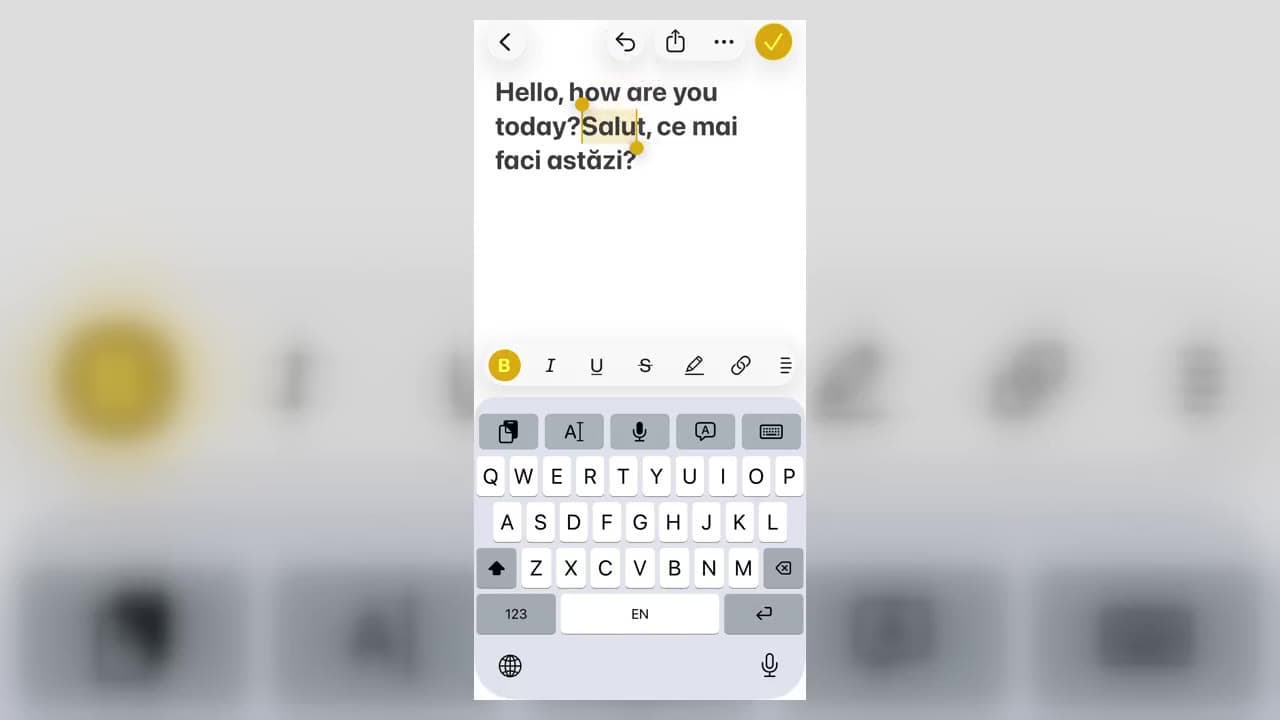
Reddit translation on iPhone and Android has two parts: use Reddit's native translation control to read supported posts and comments, then use a mobile translation keyboard when you want to write a post or reply in another language. If the native control is missing, text translation and screenshot OCR provide practical fallbacks.
First configure Reddit's language settings
Reddit's official translation documentation explains that translation depends on language preferences and availability. In the Reddit app, review the language and translation settings and choose the language in which you want to read content.
Changing the app's display language and translating user-created content are separate controls. If menus change language but posts do not, verify the translation setting rather than repeatedly changing the interface language.
How to read translated Reddit content on mobile
Open a foreign-language feed or post and look for the translation icon near the upper-right area. When available, it can translate feed content, post detail text, and comments while preserving the thread structure.
Always keep context in mind:
-Usernames and community names should not be translated.
-Humor, slang, abbreviations, and sarcasm may need the original text.
-A translated comment can lose the wording that a later reply is correcting.
-Important medical, legal, financial, or safety information needs qualified review.
If the Reddit translate button is missing
Feature availability can vary. Update the app, confirm the selected content and preferred languages, test another foreign-language post, and consult Reddit's current help page. The Reddit translation troubleshooting guide provides a fuller checklist.
For a fallback, copy the post or comment into Vavus AI text translation. If the words are part of a screenshot, meme, or image post, capture the screen and use image translation.
How to reply on Reddit with an iPhone translation keyboard
Install Vavus Keyboard, then enable it in iOS Settings under the keyboard controls. In Reddit:
-Tap the post or comment field.
-Use the globe key to switch to Vavus Keyboard.
-Draft the reply in your strongest language.
-Choose the target language and translate.
-Reverse-translate the result to check the meaning.
-Review the final text and submit it yourself.
The recipient sees a normal Reddit comment. They do not need Vavus Keyboard.
How to reply on Reddit with an Android translation keyboard
Install Vavus Keyboard and enable it as an Android input method. Then open the Reddit editor and select it through Android's normal keyboard switcher.
The writing process is the same: draft, translate, reverse-translate, review, and post. Android device menus vary by manufacturer, so the exact keyboard-settings path may differ.
Privacy and review boundaries
A translation action necessarily processes the text you ask it to translate. Only submit text you intend to process, and never translate passwords, recovery codes, private keys, or other secrets. Review the privacy terms of any keyboard or translation service you install.
Vavus Keyboard does not automatically publish to Reddit. You remain in control of the final Reddit submit action.
Frequently asked questions
Why can I translate one Reddit post but not another?
Availability can depend on the content language, your selected languages, location, account, app version, and Reddit's current rollout. Check settings and the official help page before assuming the phone is broken.
Can I translate text inside a Reddit image?
Use screenshot or image OCR translation. Native text translation may not extract words that are pixels inside a meme, chart, or screenshot.
Does a translation keyboard translate the whole Reddit screen?
No. A mobile translation keyboard works in text fields for content you intentionally draft or process. Use native Reddit translation, copied-text translation, or image OCR for existing screen content.
Is Vavus affiliated with Reddit?
No. Vavus is independent and is not affiliated with, endorsed by, or sponsored by Reddit. Reddit is a trademark of Reddit, Inc.