Speak
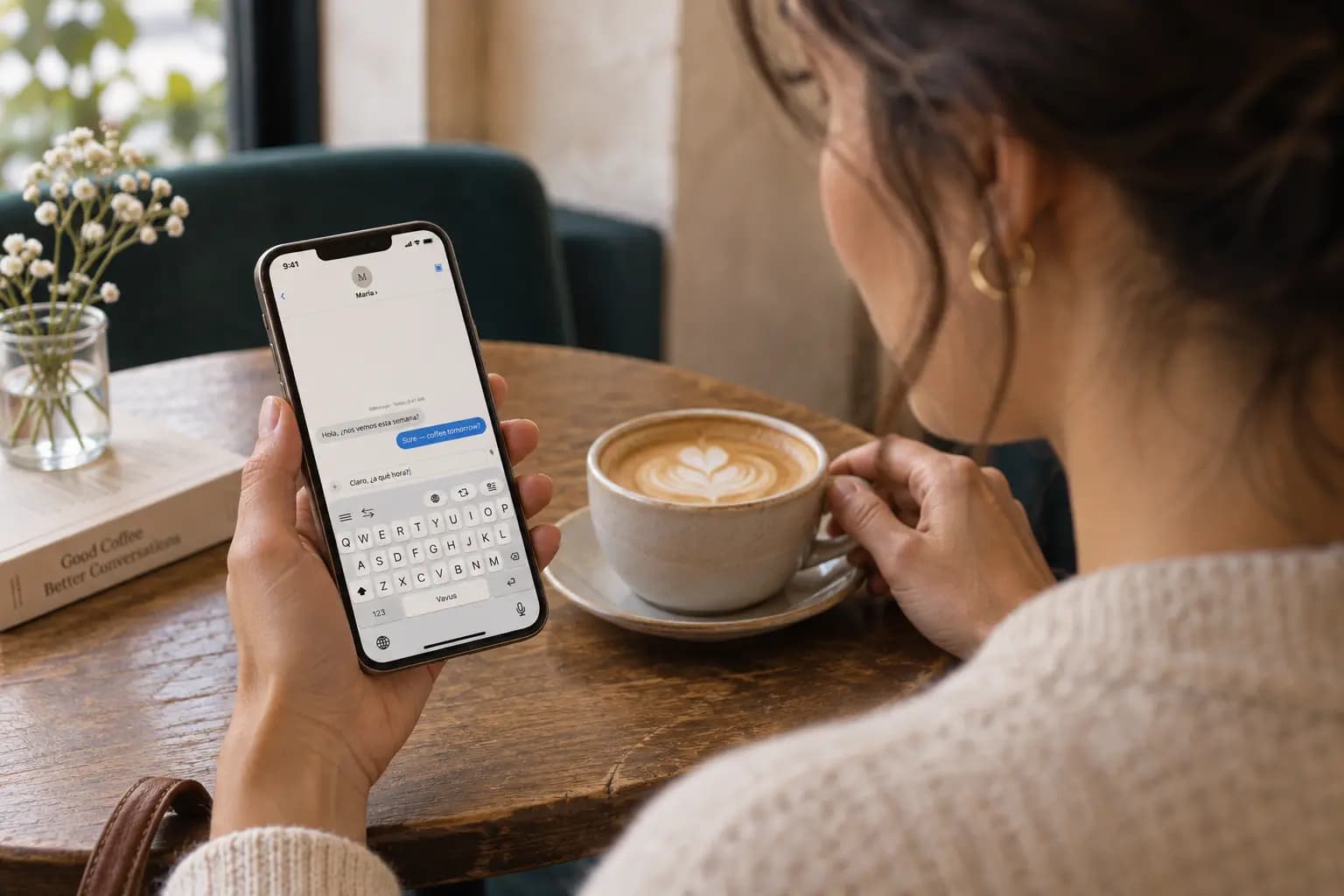
Dictate into messaging, email and work apps. On iPhone, use apps that support third-party keyboards.
Vavus Keyboard
Vavus Keyboard is an app for your phone or computer. Use it to dictate text, translate, and write replies in messaging, email, and work apps.
Download the app, then create a Vavus account or sign in inside the app.
App Store subscriptions: Payment will be charged to your Apple Account at confirmation of purchase. Subscription automatically renews unless canceled at least 24 hours before the end of the current period. Account will be charged for renewal within 24 hours prior to the end of the current period. You can manage and cancel your subscriptions in your Apple Account settings.
Find downloads for iPhone, Android, Mac, Windows, and Linux on the download page.
200+
Text translation languages
50+
Mobile keyboard layouts
5
Platforms
3-day
Paid plan trial
Dictate into messaging, email and work apps. On iPhone, use apps that support third-party keyboards.
Translate the text you write or copy, then review the result before using it.
Write in your language and translate your reply before sending it.
Latin, Cyrillic, Arabic, Devanagari, CJK, Korean, and more — mid-sentence.
Every feature
Use dictation, translation, and AI writing tools from the keyboard on your phone. On desktop, use shortcuts to work with speech and copied text.









Translation
Inline translation and reverse translation inside WhatsApp, iMessage, Gmail, Slack, Notion, Outlook, and any browser text field.
Voice
On iPhone, voice recording opens the Vavus app and returns the text to the keyboard. On Android, record from the keyboard. On desktop, use a shortcut to dictate into the app you are working in.
Demo
A quick look at dictation, translation, reverse translation, and AI — right inside the apps you already type in.
Install
iOS
Install Vavus Keyboard from the App Store, add it in iOS Settings, then enable Allow Full Access.
Android
Install Vavus Keyboard from Google Play, enable it in Android keyboard settings, then choose it from the active text field.
Desktop
Download the macOS, Windows, or Linux build, sign in, and grant microphone and accessibility permissions. Then hold Ctrl+D to talk — plus five more hotkeys for voice/text translation and AI in any app.
Pricing
Basic includes 1,000 keyboard words every seven days. The standalone Keyboard plan includes unlimited dictation and translation.
$14.97/mo
Subscription price when purchased directly from Vavus
Or $149.70 per year — two months free.
Vavus Keyboard Lifetime
$297.00 one-time
Unlimited dictation and translation, forever. Web purchase only — not offered in the app stores.
Questions
Vavus Keyboard is an installed app for iPhone, Android, Mac, Windows, and Linux. It provides dictation, text translation, reverse translation, and AI writing tools. On phones, use the Vavus keyboard; on computers, use shortcuts while working in other apps.
Install Vavus Keyboard, create an account or sign in inside the app, and enable the keyboard in iOS Settings. Use it to write and translate in apps that accept third-party keyboards. For voice features, recording takes place in the Vavus app and the result returns to the keyboard.
Install Vavus Keyboard, create an account or sign in, and enable it in Android keyboard settings. Select it in an app where you type to use dictation, translation, reverse translation, and writing tools.
Install Vavus Keyboard on Windows, Mac, or Linux and sign in. Use keyboard shortcuts to dictate, translate, check a translation, or ask AI while working in another app. You can customize the shortcuts or enable the optional floating toolbar.
Basic includes 1,000 keyboard words every seven days. The standalone Keyboard plan costs $14.97 per month when purchased directly from Vavus or $14.99 per month through the App Store. The paid plan includes a 3-day trial and unlimited keyboard dictation and translation. Download Vavus Keyboard, then create a Vavus account or sign in inside the app.
No. You can install Vavus Keyboard and use the Basic allowance without a paid Vavus AI subscription. The unlimited Keyboard subscription is sold separately. Vavus AI also includes supported keyboard features in its own apps.