Vavus Keyboard
Vavus Keyboard mobile walkthrough — type, talk, and translate in any app
Type, talk, translate, and ask Vavus AI from the keyboard in any app.
Duration: 41 seconds. Download MP4.
What this demo shows
This cream walkthrough shows Vavus Keyboard on mobile from setup through daily use. It demonstrates enabling the keyboard, dictating into a field, translating outgoing text with V-Translate, reading replies back in your language, asking Vavus AI for wording help, using voice AI, rewriting text, and inserting saved snippets while the keyboard keeps its plain white and black key deck.
More Vavus demos

Vavus Keyboard desktop walkthrough — hotkeys, dictation, translation
Use Ctrl+D, Ctrl+T, and Ctrl+R to dictate and translate from your computer.

Vavus AI mobile walkthrough — translation, messaging, calls, documents
Translation, messaging, calls, documents, and Vavus AI in one mobile app.

Vavus AI desktop walkthrough — dashboard, translation hub, AI tools, history
Run translation, Vavus AI, and history workflows from the desktop.
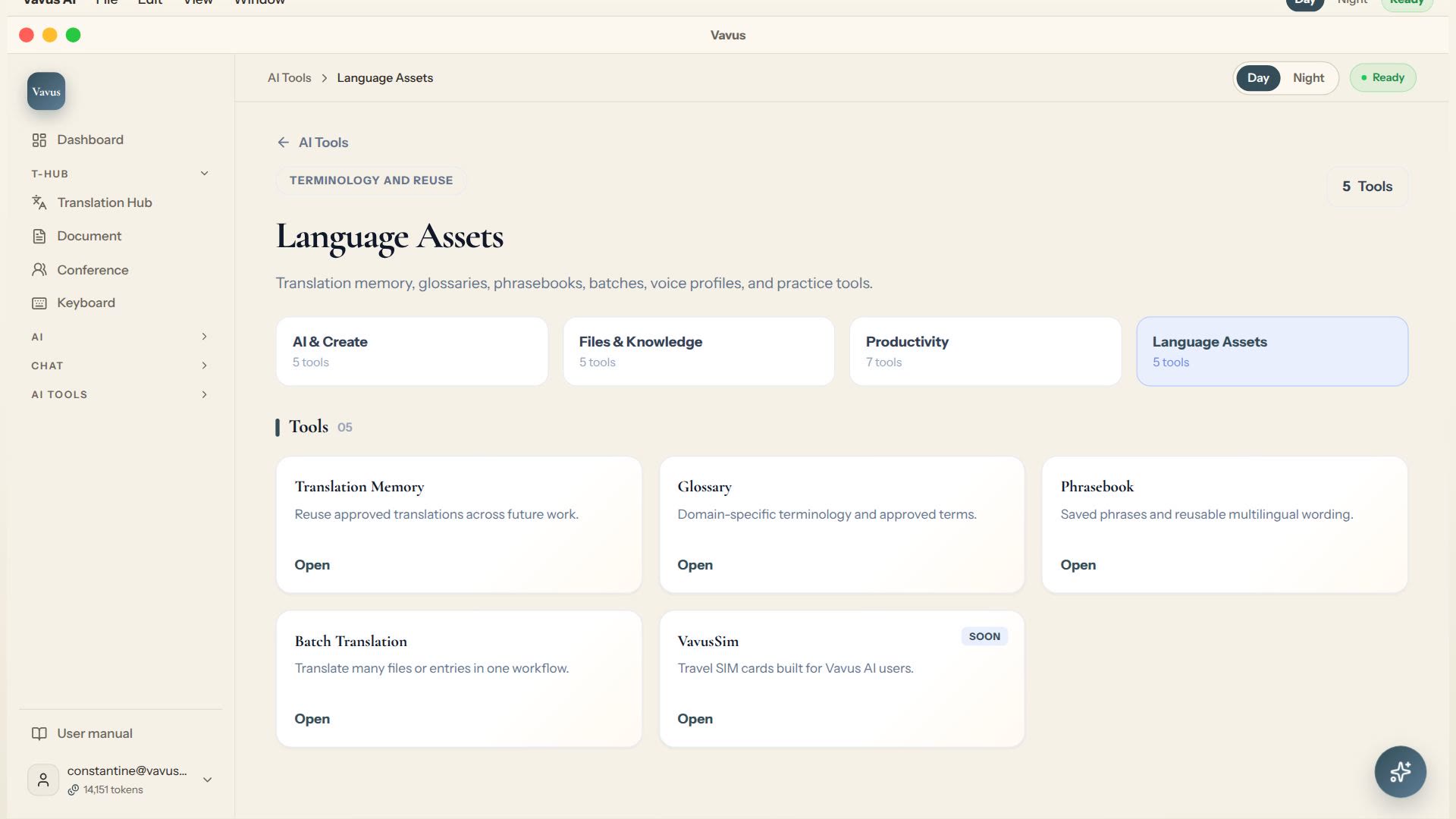
Vavus AI translation tools — glossary, memory, phrasebook, batch translation
Keep translation assets, glossary, memory, phrasebook, and batch work in one place.
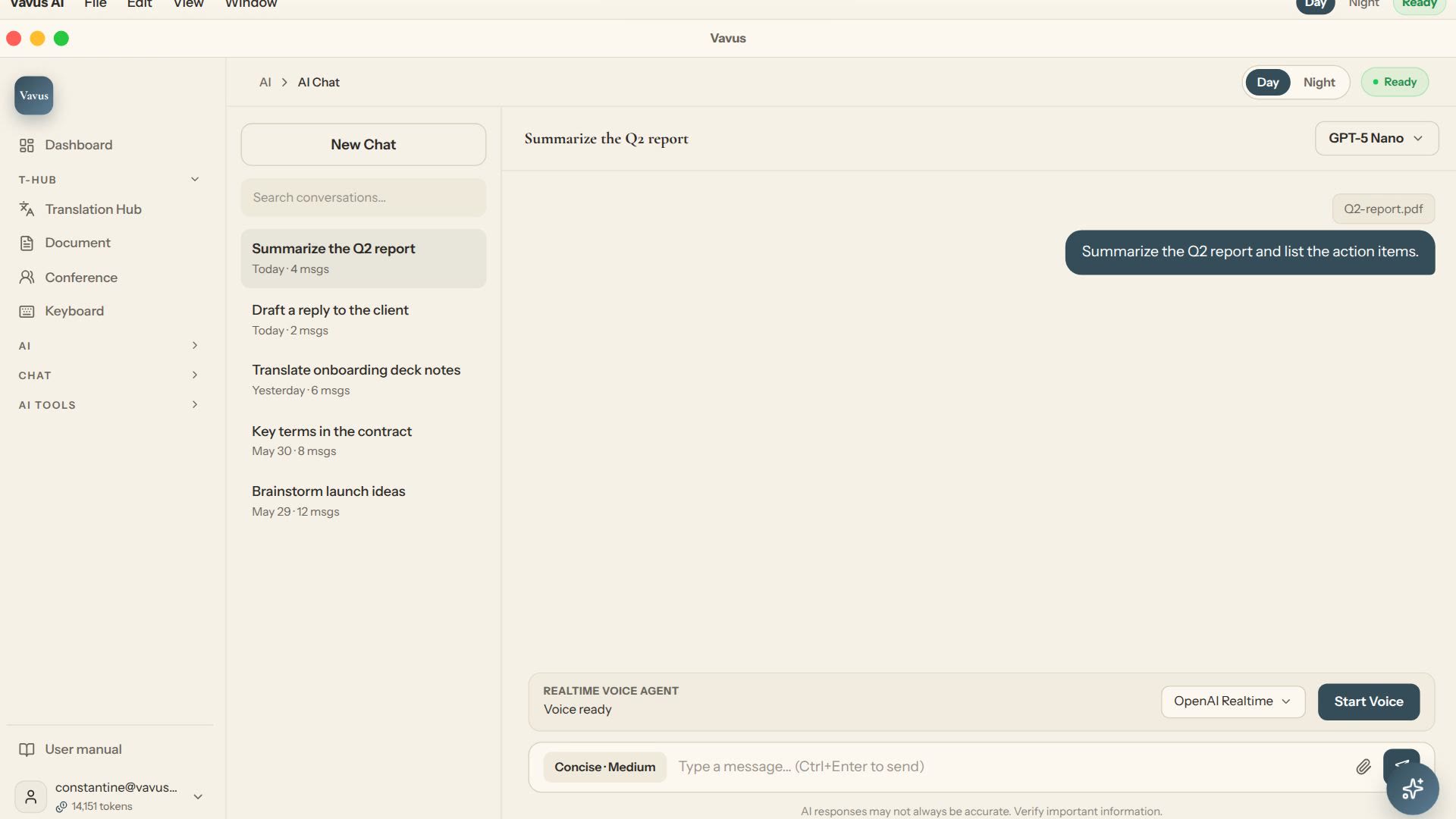
Vavus AI chat — multilingual writing and reasoning
Ask, draft, translate, and refine without leaving the Vavus AI workspace.
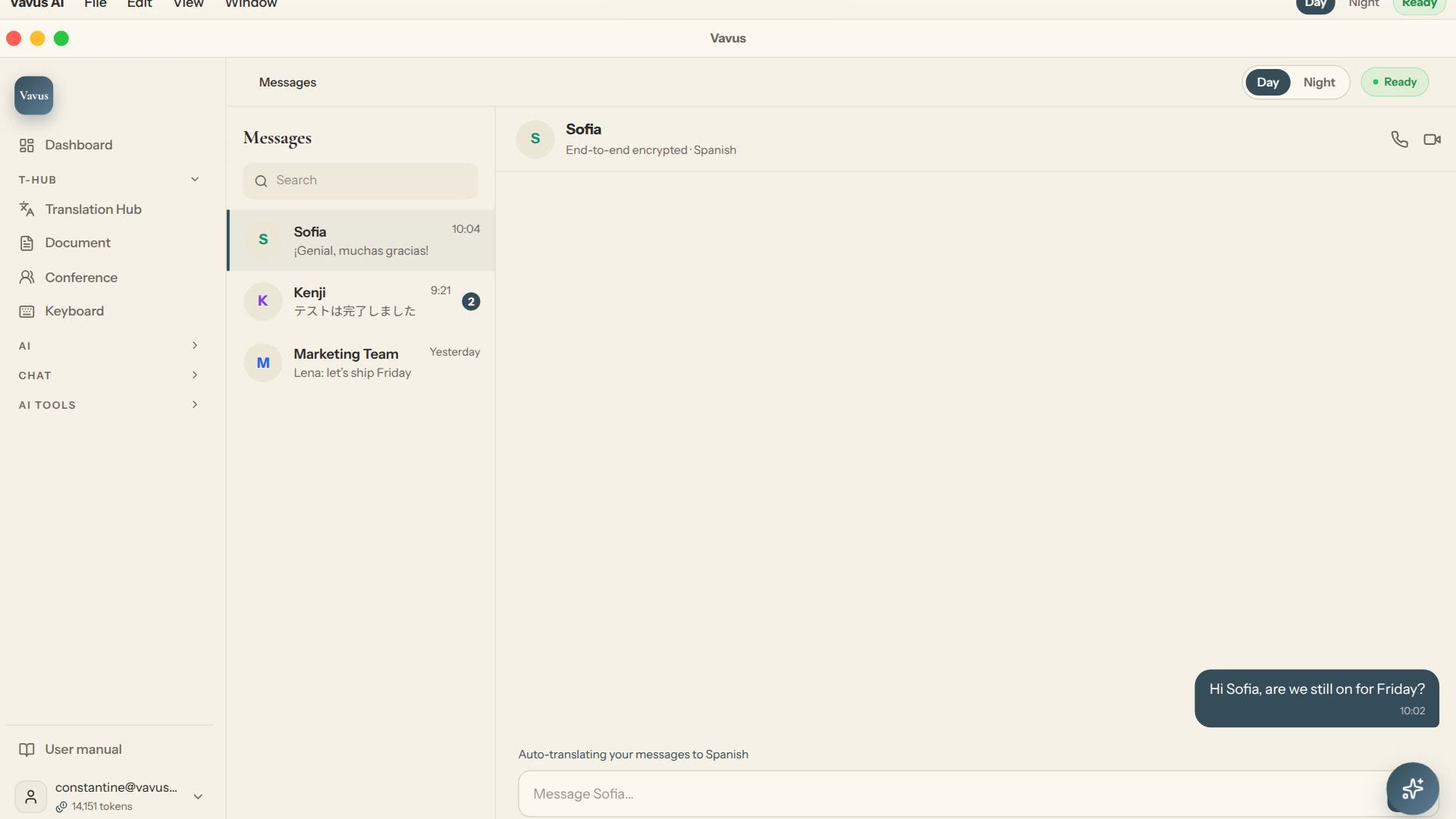
Vavus AI multilingual messaging — translated conversations
Message across languages while the conversation stays readable on both sides.