Vavus Keyboard
Vavus Keyboard desktop walkthrough — hotkeys, dictation, translation
Use Ctrl+D, Ctrl+T, and Ctrl+R to dictate and translate from your computer.
Duration: 29 seconds. Download MP4.
What this demo shows
This desktop walkthrough shows the Vavus Keyboard workflow on a computer. It covers installing and signing in once, using Ctrl+D to dictate into any text field, using Ctrl+T to translate selected text in place, using Ctrl+R to reverse translate a reply, and setting V-Translate, Vavus AI, languages, and the cream chrome with plain keys.
More Vavus demos

Vavus Keyboard mobile walkthrough — type, talk, and translate in any app
Type, talk, translate, and ask Vavus AI from the keyboard in any app.

Vavus AI mobile walkthrough — translation, messaging, calls, documents
Translation, messaging, calls, documents, and Vavus AI in one mobile app.

Vavus AI desktop walkthrough — dashboard, translation hub, AI tools, history
Run translation, Vavus AI, and history workflows from the desktop.
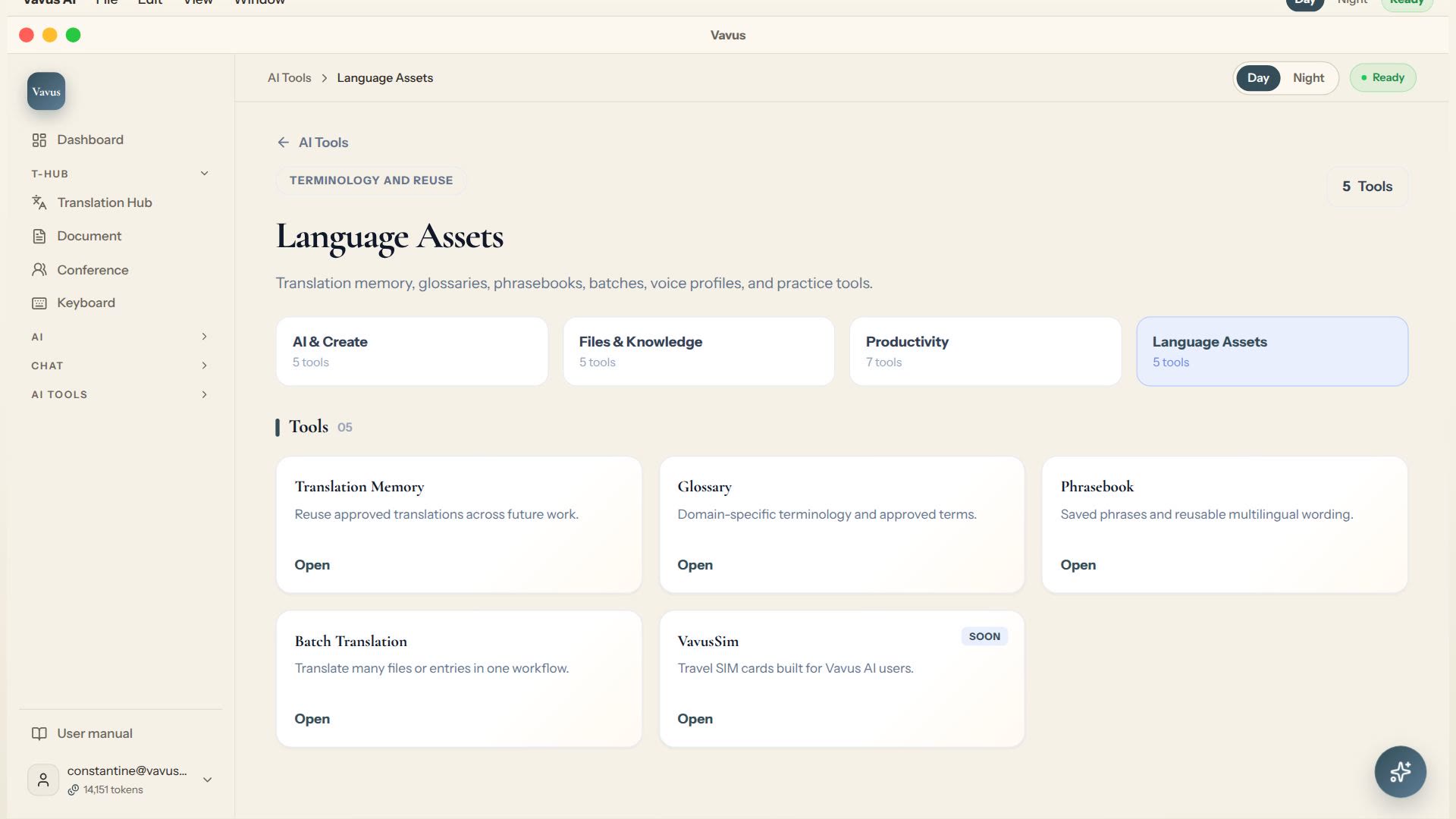
Vavus AI translation tools — glossary, memory, phrasebook, batch translation
Keep translation assets, glossary, memory, phrasebook, and batch work in one place.
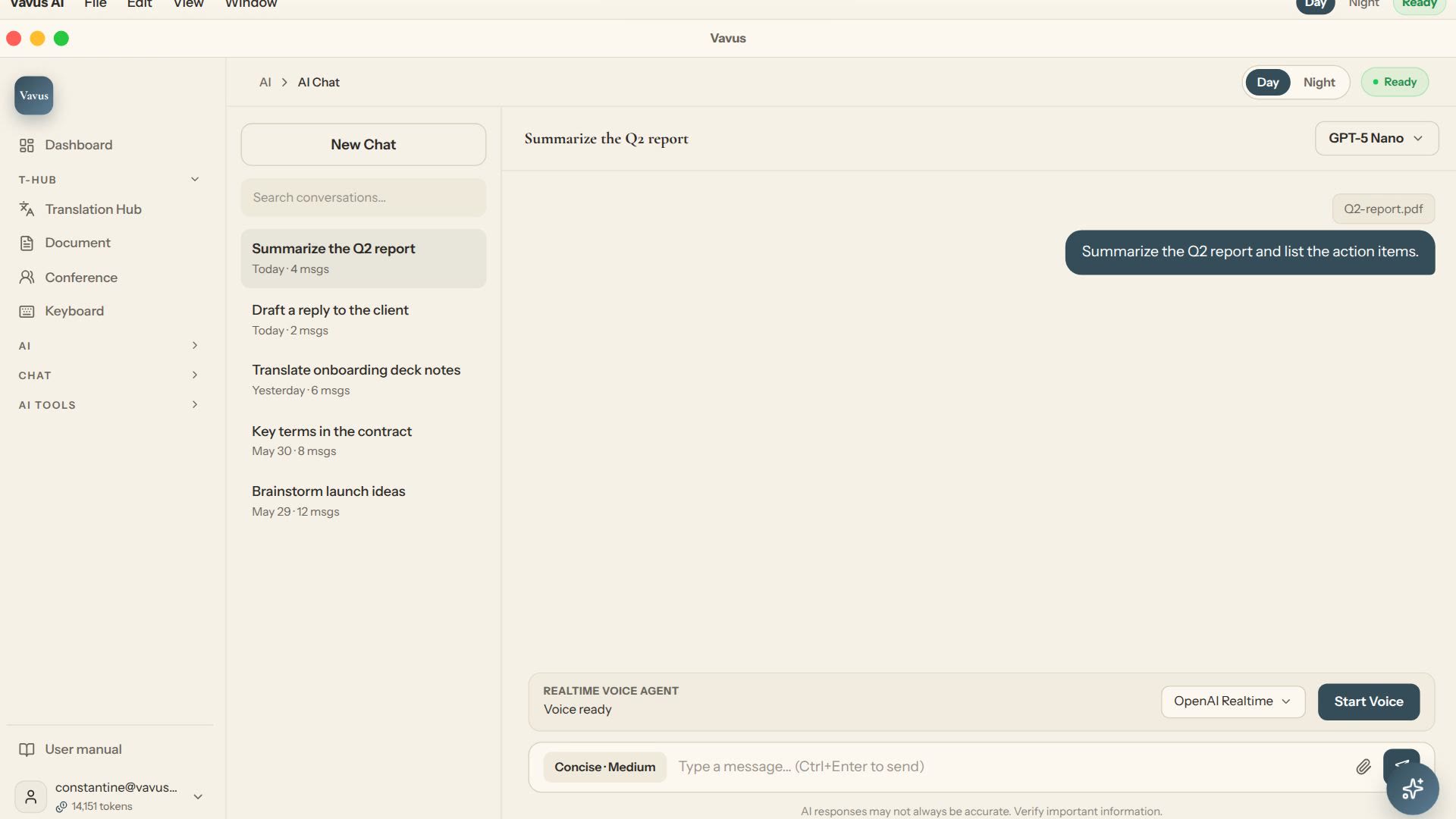
Vavus AI chat — multilingual writing and reasoning
Ask, draft, translate, and refine without leaving the Vavus AI workspace.
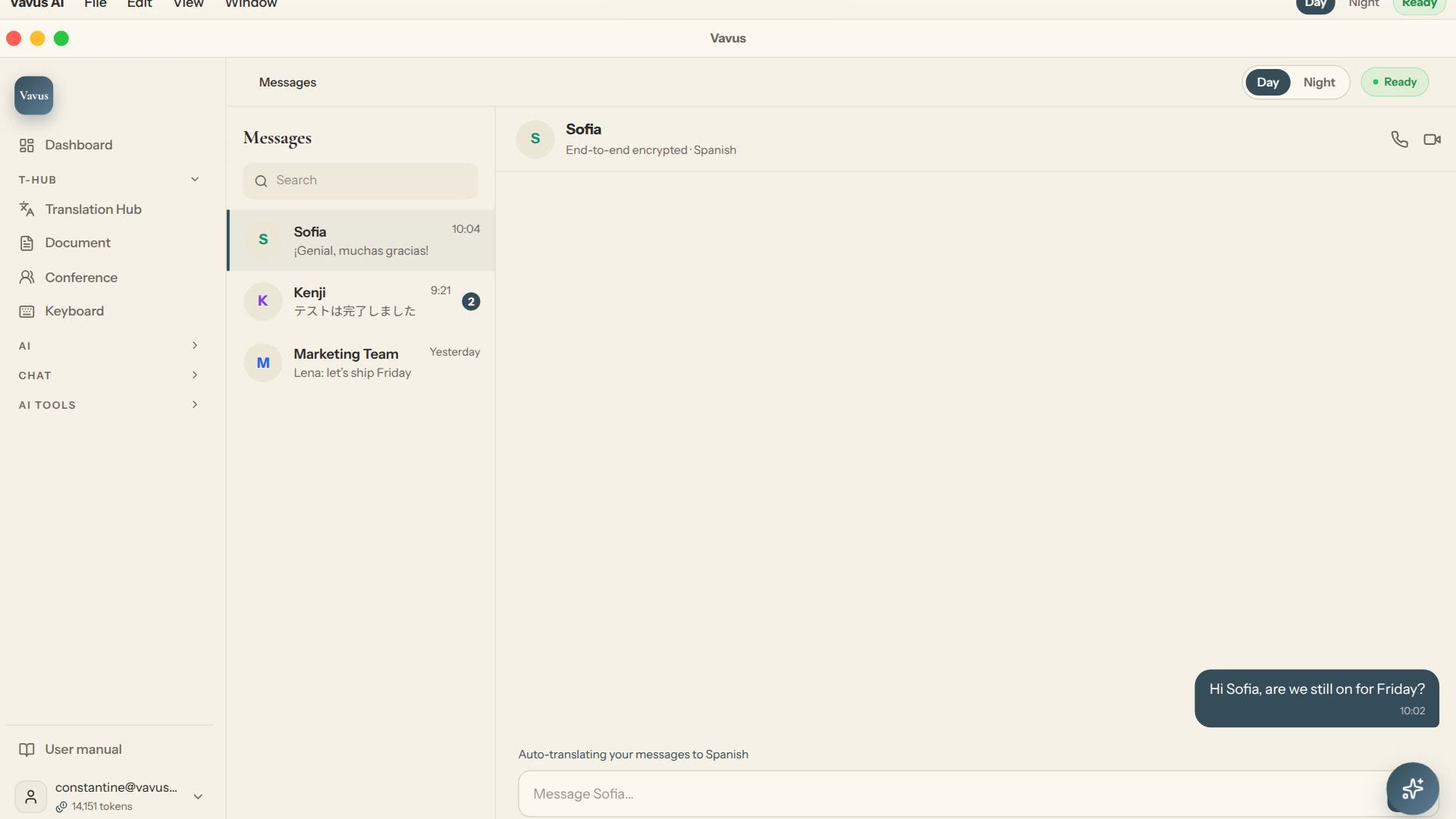
Vavus AI multilingual messaging — translated conversations
Message across languages while the conversation stays readable on both sides.