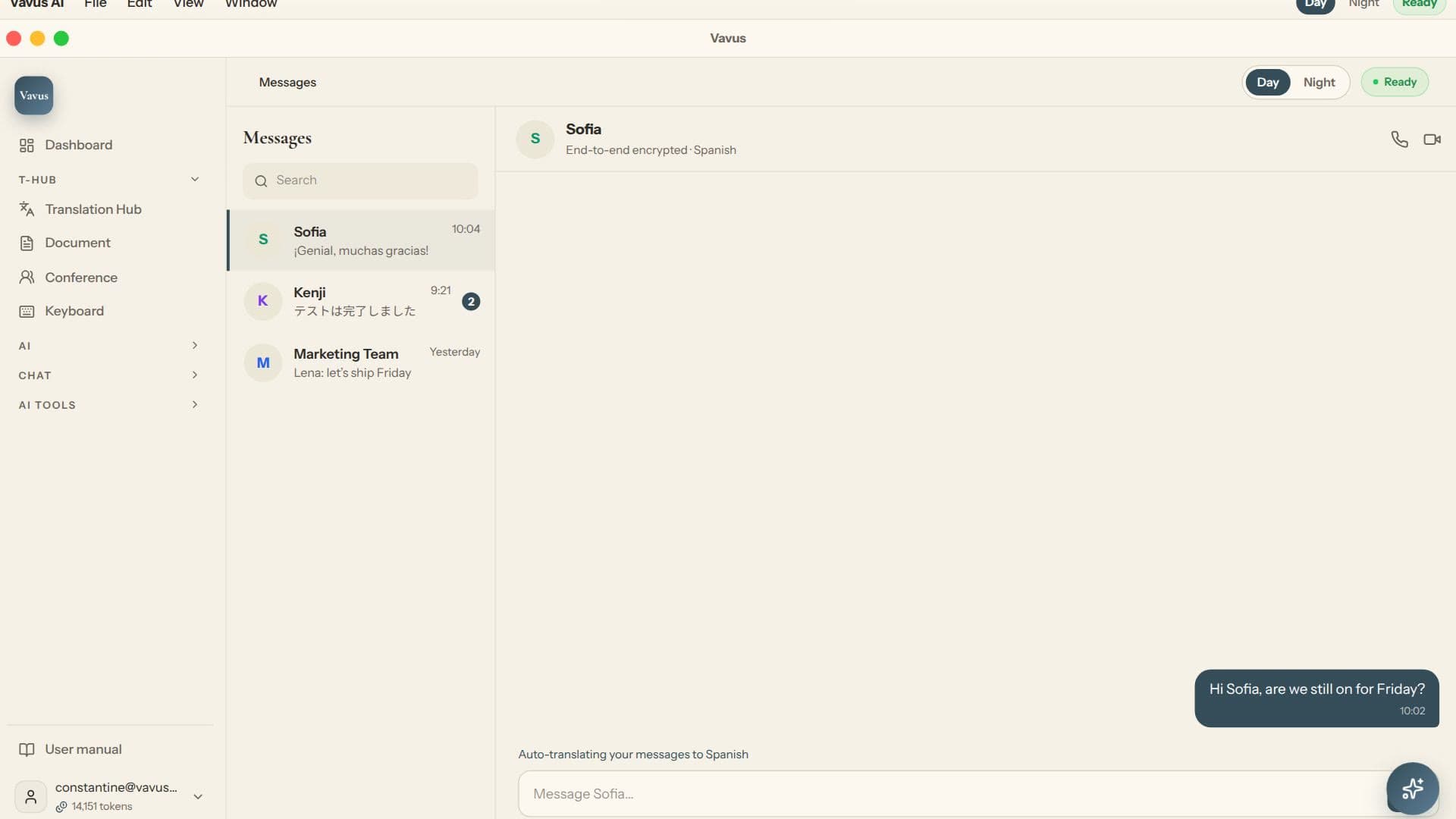
Envoyez les modes de communication, les langues, les limites de données et les exigences de conformité. Nous verrons comment Vavus AI s’inscrit. Messagerie multilingue.
Limites importantes
Messagerie multilingue. Équipes qui ont besoin de traduction, voix, appels, messages, clavier, documents et contrôles au même endroit. Chiffrement côté client, journaux d’audit, export de données, SAML 2.0 SSO, BAA HIPAA signé et déploiement sur site/auto-hébergé soutiennent les achats et la sécurité.
Comment Vavus AI s’utilise au travail
Les équipes internationales parlent, écrivent, dictent, appellent, relisent des documents et manipulent des informations sensibles. Vavus AI couvre ces modes avec des limites honnêtes et des contrôles d’entreprise.
-langues de traduction: Messagerie multilingue
-langues vocales: Chiffrement côté client, journaux d’audit, export de données, SAML 2.0 SSO, BAA HIPAA signé et déploiement sur site/auto-hébergé soutiennent les achats et la sécurité.
Limites importantes
-langues de traduction: La traduction couvre 200+ langues ; la voix couvre 100+ langues.
-langues vocales: L’équipe choisit le mode, applique la limite de données et relit les résultats critiques avant usage.
-Contrôles d’entreprise: Chiffrement côté client, journaux d’audit, export de données, SAML 2.0 SSO, BAA HIPAA signé et déploiement sur site/auto-hébergé soutiennent les achats et la sécurité.
-Traduction de texte hors ligne et sur appareil: Hors ligne signifie traduction de texte dans l’app Vavus AI.
-Acheteurs: Santé, juridique, finance, assurance, gouvernement, support, centres de contact et équipes globales.
Où cela s’inscrit
L’équipe choisit le mode, applique la limite de données et relit les résultats critiques avant usage.
Revoyez Logiciel de traduction et de dictée pour entreprise avant le déploiement.
Équipes qui ont besoin de traduction, voix, appels, messages, clavier, documents et contrôles au même endroit.
Limites importantes
Que couvre ce guide ?
Il explique comment Vavus AI s’inscrit dans Logiciel de traduction et de dictée pour entreprise, avec traduction de texte, voix, appels, messages, clavier, documents et contrôles d’entreprise.
Vavus AI fonctionne-t-il hors ligne ?
Oui, mais hors ligne signifie traduction de texte dans l’app Vavus AI. Voix, appels et clavier exigent une connexion sauf déploiement sur site approuvé.
Quels contrôles d’entreprise existent ?
Chiffrement côté client, journaux d’audit, export de données, SAML 2.0 SSO, BAA HIPAA signé et déploiement sur site/auto-hébergé.