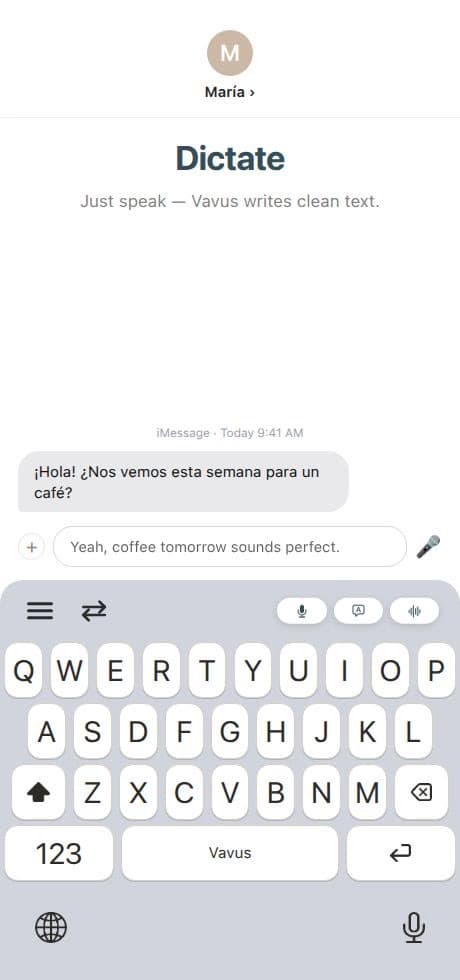
Most translation apps assume the user will stop what they are doing, open a separate app, paste text, translate it, copy the result, and return. That works for occasional use. It fails when language is part of every message, note, form, and customer reply.
Vavus Keyboard moves dictation and translation to the text field. On desktop, users can use hotkeys for dictation, translation, and reverse translation. On mobile, the keyboard surface can support multilingual input inside the apps people already use.
Why the keyboard layer matters
-Less copy-paste: The translated result belongs where the user is writing.
-Faster dictation: Long messages, notes, and forms are easier by voice.
-Reverse translation: Users can write in their strongest language and send in another.
-History: Repeated phrases and previous translations stay attached to the account.
-Everyday reach: Language tools work in messages, email, documents, CRMs, web forms, and social apps.
Privacy and permissions
Keyboard products must be transparent about permissions. On iOS, custom keyboards have operating-system rules around open access and network behavior. Vavus should keep explaining why microphone, keyboard, and accessibility permissions are requested and what workflow they support.
This matters for trust. A keyboard is a sensitive surface. The product should collect only what is needed for the feature, explain the permission, and avoid casual storage of sensitive text or audio.
How Vavus fits
Vavus Keyboard is the standalone product for unlimited keyboard usage. Vavus AI also includes keyboard features inside the broader app ecosystem. Desktop users get macOS and Linux installers with dictation and translation hotkeys.
FAQ
Why not just use a translation website?
Because the workflow is slower. A keyboard lets the user translate at the point of writing.
Is desktop keyboard translation only for browsers?
No. Desktop hotkeys are designed for text entry across supported applications, not only one browser tab.
Who is it for?
Travelers, multilingual families, sales teams, support teams, students, clinicians under approved workflows, and anyone who types across languages every day.