iPhone keyboardApril 29, 2026
How an iPhone translation keyboard changes travel and work
An iPhone translation keyboard can reduce copy-paste, improve multilingual messaging, and make voice dictation useful inside the apps people already use.
An iPhone translation keyboard can reduce copy-paste, improve multilingual messaging, and make voice dictation useful inside the apps people already use.
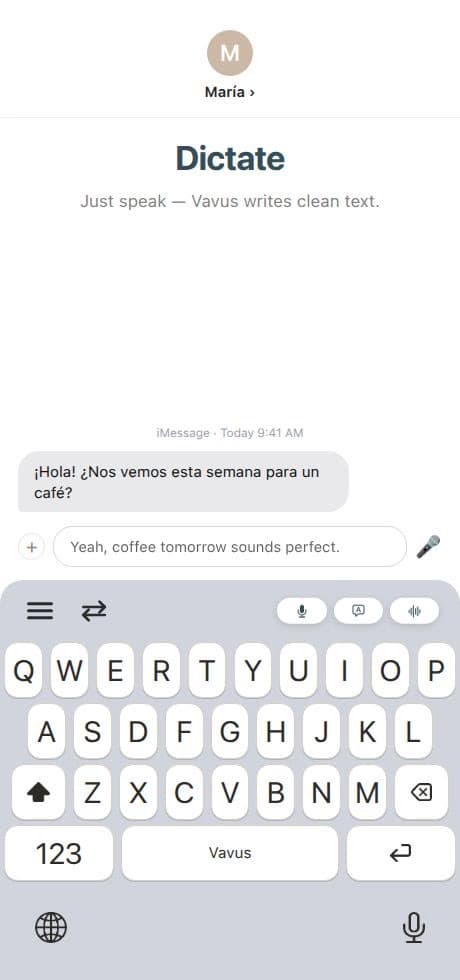
An iPhone translation keyboard is useful because the phone is where many multilingual moments happen: travel messages, delivery notes, patient intake reminders, family conversations, classroom messages, and quick work replies.
The value is not only translation quality. It is placement. If the language tool appears inside the keyboard, the user does not have to leave the conversation.
Travel: Dictate or type a phrase, translate it, and send it without switching apps.
Messaging: Reply in another language while keeping the thread open.
Work: Translate short customer replies, field notes, or team updates.
Learning: Compare what you wrote with the translated output.
Accessibility: Voice input can make longer mobile writing easier.
iOS custom keyboards require careful user trust. The product should explain keyboard access, microphone access, and what the feature does with the text or audio. Vavus should keep those explanations close to setup screens, documentation, and onboarding.
Vavus connects keyboard translation to the broader Vavus account. That means a user can move between mobile keyboard, desktop hotkeys, Vavus AI translation workflows, messaging, and saved history instead of treating every translation as disposable.
The setup flow makes three things clear: install the app, enable the keyboard in iOS settings, and grant the permissions needed for the selected features. The language pair is easy to change from the keyboard and from the main app.
No. Travel is the obvious case, but the bigger value is repeated multilingual writing in everyday apps.
No. The keyboard is for typing and dictation. The app adds richer workflows for translation, messaging, calls, files, history, and account tools.