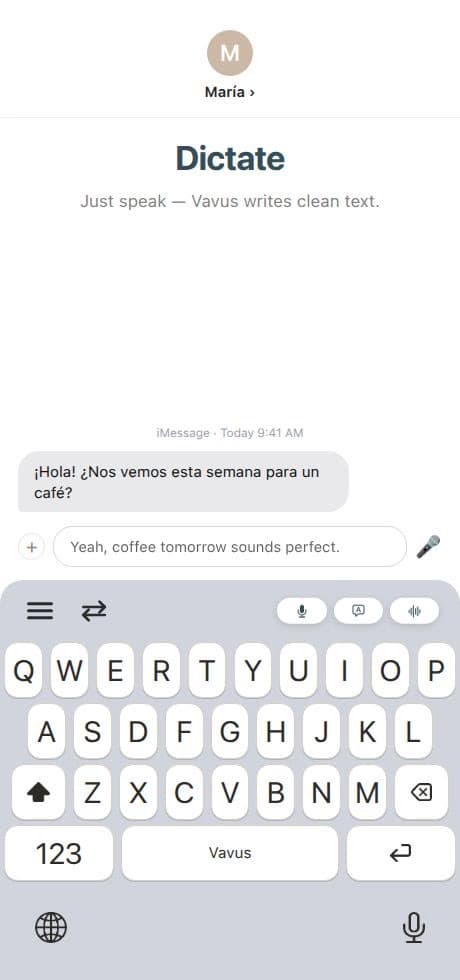
Aplikacije za diktiranje i prevođenje štede vrijeme kada uklone spore dijelove oko samih riječi: prebacivanje između aplikacija, kopiranje teksta, lijepljenje rezultata, ponovnu provjeru jezičkog para i ručno kucanje dugih odgovora. U radnim tokovima koji se ponavljaju, Vavus Keyboard može ubrzati rad i do 4x u odnosu na stari način kopiranja i lijepljenja. Tačna ušteda zavisi od zadatka, ali obrazac je dosljedan: manje koraka znači brži rad.
Najveće poboljšanje dolazi kada se diktiranje i prevođenje nalaze tamo gdje korisnik već piše. Na računaru to znači prečice za diktiranje, prevođenje i obrnuto prevođenje. Na telefonu to znači pristup putem tastature u porukama, e-mailu, obrascima, bilješkama i društvenim mrežama.
Odakle dolazi ušteda vremena do 4x
Spori radni tok obično izgleda ovako: otvorite zasebnu aplikaciju za prevođenje, zalijepite tekst, odaberete jezike, prevedete, kopirate rezultat, vratite se u prvobitnu aplikaciju, zalijepite, a zatim uredite. Ako korisnik pritom kuca i dug odgovor, kašnjenje se još povećava.
Brži radni tok je direktan:
-Diktirajte umjesto da kucate: izgovorite prvu verziju direktno u aktivno polje za tekst.
-Prevodite na licu mjesta: vratite prevedeni rezultat u aplikaciju u kojoj se posao odvija.
-Obrnuto prevodite: pišite na jeziku koji vam je prirodan, a zatim napravite verziju na ciljnom jeziku.
-Ponovo koristite historiju: držite česte fraze, prethodne prijevode i odabir jezika uz svoj račun.
-Ostanite na zadatku: izbjegnite otvaranje zasebne kartice preglednika ili prozora prevodioca za svaku rečenicu.
Zato ušteda može biti velika. Mehanizam za prevođenje je važan, ali radni tok oko njega jednako je važan.
Računar: prečice su bolje od prebacivanja konteksta
Korisnici na računaru često rade u dokumentima, redovima za podršku, CRM sistemima, tabelama, obrascima za prijem i e-mailu. Zaseban prozor prevodioca prekida tok rada. Vavus Keyboard za računar drži jezički sloj uz aktivnu aplikaciju putem prečica.
Diktiranje pomaže kada korisnik treba napisati dužu bilješku, sažetak, odgovor ili unos u polje. Prevođenje pomaže kada odabrani tekst treba brzo prebaciti na drugi jezik. Obrnuto prevođenje pomaže kada korisnik želi razmišljati na svom najjačem jeziku i poslati poruku na jeziku koji primalac očekuje.
U podršci, operativi, administraciji u zdravstvu, prodaji i školskim radnim tokovima te sekunde se brzo sabiraju, jer se isti obrazac ponavlja cijeli dan.
Telefon: tastatura je radni tok
Na telefonima se većina višejezičnog rada odvija u tastaturi. Poruke na putovanju, porodični chatovi, upute za dostavu, odgovori klijentima, bilješke s nastave i kratke poslovne novosti počinju u polju za tekst.
Aplikacija za prevođenje na telefonu korisna je kada korisnik ima vremena da je otvori. Tastatura za prevođenje brža je kada je korisnik već u razgovoru. Korisnik može izdiktirati odgovor, prevesti ga i poslati bez napuštanja prepiske.
To je važno jer je rad na telefonu često isprekidan. Najbolji jezički alat je onaj koji korisnika ne tjera da ponovo gradi kontekst svaki put kada promijeni aplikaciju.
Računar i telefon trebaju dijeliti isti račun
Ušteda vremena raste kada su računar i telefon povezani. Korisnik ujutro može izdiktirati odgovor za podršku na računaru, u podne prevesti poruku na telefonu, a kasnije pregledati historiju u širem Vavus računu.
Vavus Keyboard se fokusira na brzu površinu za pisanje. Vavus AI dodaje šire radne tokove u aplikaciji: prevođenje uživo, dokumente, pozive, poruke, datoteke, AI chat i alate za račun. Zajedno čine da diktiranje i prevođenje djeluju kao jedan jezički sloj, a ne kao nepovezani pomoćni alati.
Praktično mjerilo
Tvrdnju o uštedi do 4x treba shvatiti kao mjerilo radnog toka, a ne kao garanciju za svaku rečenicu. Prijevod jedne riječi možda neće biti primjetno brži. Zadatak koji se ponavlja, uz kucanje, kopiranje, prebacivanje i uređivanje, često može.
Timovi trebaju mjeriti posao koji zaista rade: odgovor za podršku, prevedenu bilješku s prijema, poruku na putovanju, ažuriranje u CRM-u ili komentar na dokumentu. Prebrojte korake prije i poslije. Najbrže rješenje obično je ono koje uklanja najviše ručnog pomjeranja oko teksta.
Često postavljana pitanja
Da li diktiranje uvijek štedi vrijeme?
Ne. Najviše vremena štedi kod dužeg teksta, obrazaca koji se ponavljaju, poruka, bilješki i prvih verzija. Kratke natpise ponekad je i dalje brže otkucati.
Da li se kvalitet prevođenja mijenja zato što je u tastaturi?
Tastatura mijenja mjesto na kojem se radni tok odvija. Kvalitet prevođenja i dalje zavisi od jezičkog para, konteksta, odabira mehanizma, kvaliteta zvuka kod diktiranja i pregleda sadržaja s visokim ulozima.
Zašto koristiti i aplikaciju za računar i aplikaciju za telefon?
Ljudi mijenjaju uređaje. Prečice na računaru bolje su za duge radne sesije, dok je pristup putem tastature na telefonu bolji unutar razgovora. Zajednički Vavus račun čini radni tok dosljednijim.