You are in a lecture hall, an all-hands, or a webinar. The speaker is fluent and fast, in a language you are still learning. You catch the first half of a sentence, lose the second to a word you did not know, and by the time you have worked it out you have missed the next two points.
This is the daily reality for a lot of people. A record 1.1 million international students studied in the United States alone in 2023–24 (IIE, Open Doors 2024) — and that is before you count everyone sitting in a cross-language work meeting, a conference talk, or a town hall in a country they recently moved to. Reading a second language is one thing; keeping up with someone speaking it in real time, with no rewind, is much harder.
The usual workarounds do not really work. You can record the whole thing and translate it later — but then you are not following along now, when it counts. You can ask the speaker to slow down — once, maybe. You can lean on a friend to whisper-translate — until they get tired. None of these keep you in the room and keep the record.
The fix: live translated captions while they are still talking
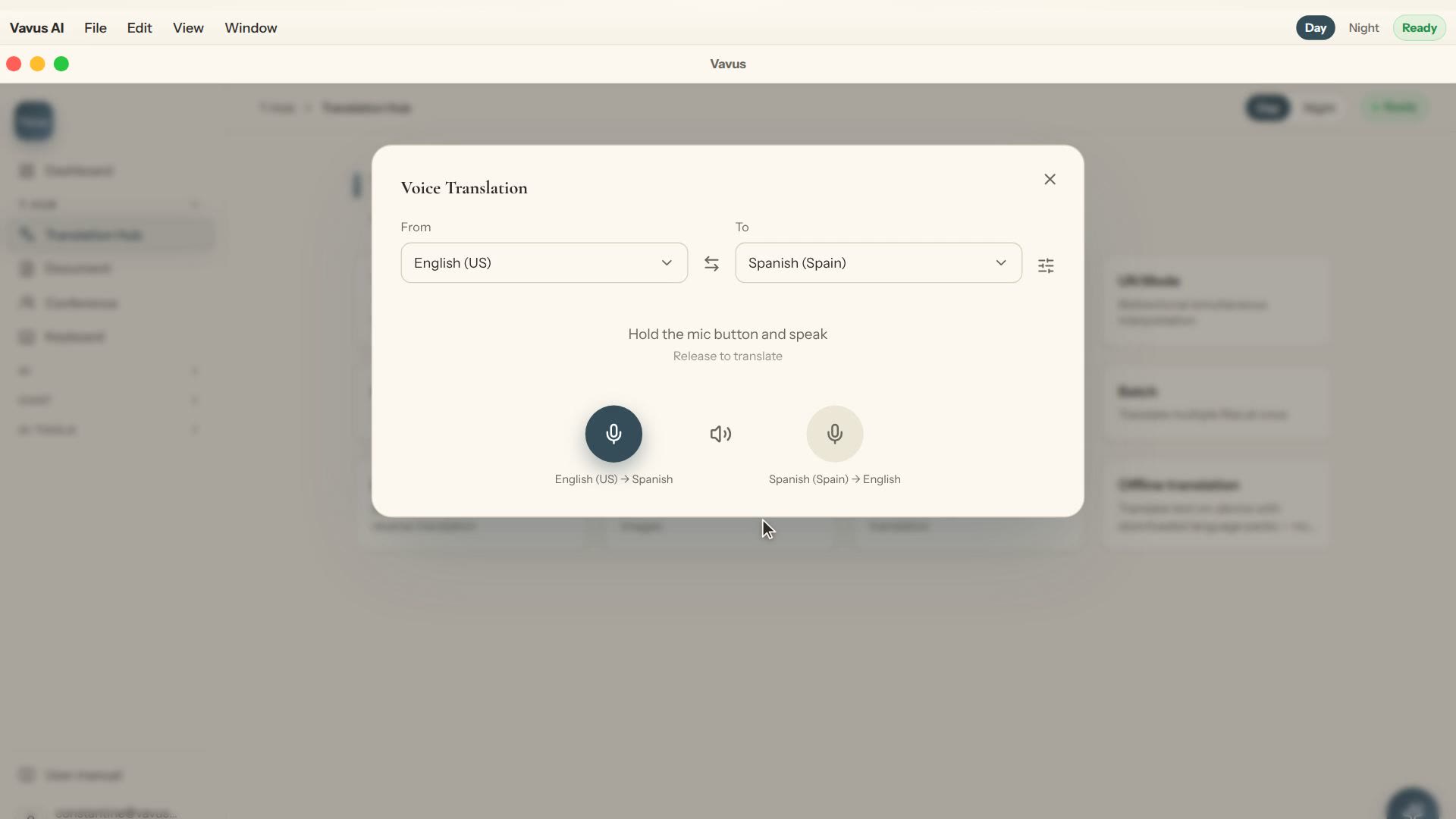
What you actually need is to read along in your language at the speed the person is speaking. That is what Vavus AI's live translation does:
-Real-time captions: start a live session, set the speaker's language and yours, and Vavus AI transcribes and translates the speech into your language as it happens — you read along instead of straining to parse it.
-A transcript you keep: when the session ends, the full transcript and translation are saved to your history, so you can go back over the part that went by too fast.
-Works where you are: on your phone in a lecture hall, or on your desktop for a talk or webinar playing on the same machine.
-Your record stays private: transcripts are encrypted to your account — the notes from your meeting are yours.
You are not translating after the fact anymore. You are following the meeting as it happens, with a safety net for the parts you miss.
Where this earns its keep
-International students: following a fast lecture, a seminar discussion, or a lab briefing in the language of instruction — and keeping a clean transcript to study from.
-Cross-language teams: an all-hands, a standup, or a client call where not everyone shares a first language, so nobody quietly checks out.
-Conferences and webinars: a talk in another language you would otherwise skip — now you can sit in and actually follow it.
-New arrivals: a town hall, a parent-teacher meeting, a community briefing in a language you are still building.
Be honest about what it is — and is not
Live machine translation is for following along. For a class, a team meeting, a webinar, or a briefing, real-time captions keep you in the room and give you a record to review — that is exactly the job. For a high-stakes setting where every word is binding — a legal proceeding, a medical consult, a contract negotiation — you still want a certified human interpreter. Vavus AI is the tool that keeps you present in the everyday rooms where hiring an interpreter was never going to happen.
When you need to speak up, too
Following is half of it. When you need to ask a question or add a comment in the room's language, Vavus Keyboard lets you type it in your language and send it in theirs, or speak it and send clean text — so you can participate, not just listen. Both tools run under one Vavus account.
What it costs
Start on Basic, and you don't need a card. When you need more, Personal is $9.97 a month on the web ($9.99 on Apple), or pay as you go with tokens. For a semester of lectures or a quarter of cross-language meetings, following along in real time instead of catching half is an easy trade.
Frequently asked questions
How do I follow a lecture in a language I am still learning?
Start a live translation session in Vavus AI, set the speaker's language and your own, and it transcribes and translates the speech in real time so you read along as they talk. When it is done, the transcript is saved so you can review what you missed.
Will I get a transcript afterward?
Yes. The full transcript and its translation are saved to your history (encrypted to your account), so you can go back over anything that went by too fast.
Does it work for online meetings and webinars?
It translates speech it can hear — a speaker in the room, or audio playing on your device. On desktop you can follow a talk or webinar playing on the same machine; on your phone you can follow someone speaking nearby.
Is it as good as a human interpreter?
For following along — a class, an all-hands, a webinar — it keeps you in the room in real time and leaves you a transcript. For binding, high-stakes settings like legal or medical proceedings, use a certified interpreter.
The bottom line: a meeting or lecture in a language you are still learning is not a wall — it is a room you can stay in. Live translated captions let you follow along at the speaker's pace, and a saved transcript catches what slipped by. Try it at vavusai.com.