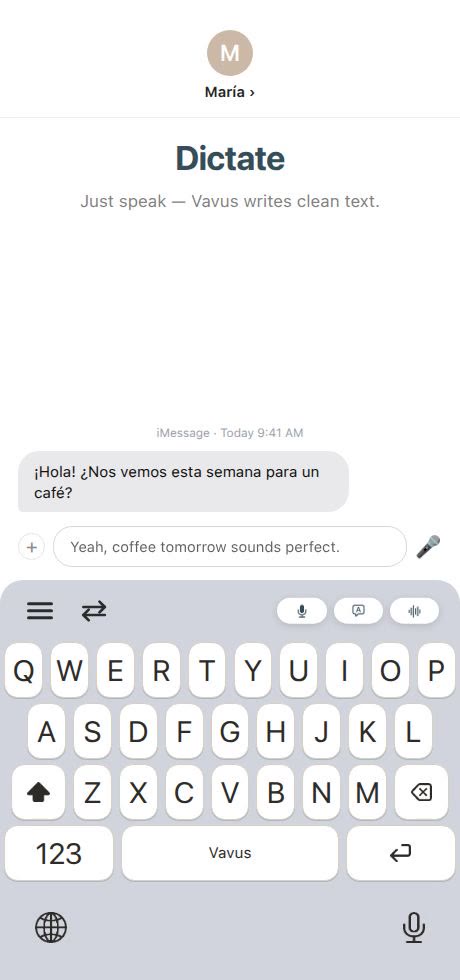
You owe your friend a real explanation. You went quiet for three weeks; you missed her call, never followed up, and it wasn't nothing — it was a genuinely bad stretch at work you actually want to tell her about. You open the thread and start typing. The first sentence goes fine. By the third, your thumb is cramping on the glass, autocorrect eats a word you needed, and you're rereading what you wrote instead of finishing the thought. Four minutes in, you have three sentences and a message that still doesn't say it the way you mean it.
So you do what almost everyone does: cut your losses. "sorry, been super busy. love you, will call soon." Technically true. A fraction of what you meant. She gets the short version of an apology that deserved the long one — not because you didn't care enough to write it, but because writing it out in full on a phone was more friction than the moment could carry.
This happens constantly, and not just with apologies: a catch-up message after months of silence, an explanation to a landlord about why rent is two days late, an email that needs real context instead of three clipped lines. People don't send these messages shorter and worse because they have less to say. They send them shorter and worse because thumb-typing punishes length.
The actual speed gap
This isn't a willpower problem. It's mechanical: typing on a phone screen is slow relative to how fast words actually come out when you speak.
A large 2019 study on everyday mobile typing (Palin, Feit, Kim, Kristensson & Oulasvirta, "How do People Type on Mobile Devices?", MobileHCI 2019, roughly 37,000 participants) found average touchscreen typing speed around 36 words per minute — in normal, real-world conditions, not a lab best-case. Conversational speech, by contrast, is widely estimated to run several times faster; figures in the range of 130-150 words per minute show up repeatedly in speech and broadcasting research. The exact numbers vary study to study, but the shape of the gap doesn't: talking isn't a little faster than thumb-typing, it's several times faster.
Picture that apology at around 300 words and try it both ways. Typed at a realistic phone pace, fighting autocorrect and rereading, it takes several minutes of continuous effort — which is exactly why most people abandon it halfway and send something shorter instead. Spoken out loud, the same 300 words take under two and a half minutes.
Where dictation genuinely shines
Dictation isn't the right tool for everything, but there's a clear category where it wins outright:
-Messages you're already composing in your head. If you already know what you want to say and the only obstacle is typing it out, just say it.
-Notes to yourself. Thoughts, reminders, half-formed ideas — the ones that die because typing them felt like too much effort for something you might delete anyway.
-Emails and longer explanations. Anything that carries real context, a status update, "here's what happened" — a real answer instead of a one-line dodge.
-Anything longer than a sentence or two. The break-even point isn't precise, but it's clear: a three-word reply is faster typed; a three-sentence one usually isn't.
Where it doesn't — and that's fine
Being honest about the limits matters more than pretending they don't exist.
-Loud or public places. A crowded train, a noisy kitchen, a bar — background noise degrades transcription quality, and typing wins there, not because it's better but because voice recognition isn't magic.
-Sensitive conversations. If you don't want people around you to hear what you're saying, don't say it out loud. That's not a dictation problem to fix — it's simply not the moment for it.
-Precise names, terms, and spelling. A medication name, an unusual client surname, an account number you need read back exactly — speech recognition still stumbles on that kind of precision more than typing does. If it has to be letter-perfect, type it.
None of this makes dictation unreliable. It's a tool for most ordinary messages, not a replacement for typing in every situation.
The real workflow: talk first, then clean up
The workflow that actually works isn't "let AI write your message." It's dictate first, then clean up.
Say the message the way you'd actually say it out loud — messy, with false starts, the occasional "um," a sentence that stops and restarts. That's normal. Getting the real version out fast, without stopping to edit yourself mid-sentence, is exactly the point of talking instead of typing.
Then run it through cleanup. Vavus Keyboard's dictation includes an AI cleanup pass that tightens what you actually said — cutting filler, fixing tangled sentences, smoothing stumbles — without inventing content you didn't say or changing your meaning. This isn't writing for you. It doesn't add a point you didn't make or soften an opinion you expressed. It's still your message, your voice, your words — just without the "um" and the sentence that doubled back on itself; the same relationship between a raw voice memo and its clean transcript, not the relationship between a prompt and an AI-generated essay.
Both steps together are what makes dictation work for real messages, not just quick one-line replies: talk fast to get the real version out, then let cleanup do the polish pass you'd otherwise skip if you were typing it yourself.
It works on desktop too
Dictation isn't just a phone feature. Vavus Keyboard's desktop dictation shortcut works the same way on a laptop — hit the shortcut, talk, and the words appear wherever your cursor is, whether that's an email client, a Slack message, or a document. If you've been saving dictation for your phone only because typing on a full keyboard "feels good enough," the same math applies the moment it's more than a sentence or two.
What it costs
Vavus Keyboard is $14.97/month on web ($14.99 on Apple) for unlimited dictation and translation, or pay-as-you-go with tokens. Given how many unfinished messages this replaces, it's a small habit change with a disproportionate payoff.
Frequently asked questions
Is dictation actually faster than typing on a phone?
For anything longer than a sentence or two, yes, by a wide margin. Average mobile typing runs around 36 words per minute in real-world conditions (Palin et al., MobileHCI 2019), while conversational speech is commonly estimated at several times that speed. Short replies are often just as fast typed; longer ones are where dictation clearly wins.
Does AI cleanup rewrite what I said, or just tidy it?
It tidies, not rewrites. Vavus Keyboard's AI cleanup cuts filler, fixes tangled sentences, and smooths stumbles in what you actually said — it doesn't add new content, invent a point you didn't make, or change your meaning. It's still your message in your words.
Does dictation work in a noisy place?
Not reliably. Background noise degrades voice recognition the same way it degrades a phone call — the more noise, the more errors. In a loud room or a public place you don't want overheard anyway, typing is still the better call.
Can I use dictation on desktop, not just my phone?
Yes. Vavus Keyboard's desktop dictation shortcut works the same way on a laptop — a shortcut you trigger, you talk, and the text appears wherever your cursor is, in email, chat, or a document.
The bottom line: most people type out of habit, not because it's actually faster. For a quick reply, keep typing — that's completely fine. But for the message you keep composing in your head, the apology that deserves more than one line, the note you'd never write otherwise: say it, then clean it up. That's the whole process, and it takes less time than the paragraph you just abandoned. Try it at vavusai.com.